How to Make a Compilation Short with AI, Step by Step
Five steps to a compilation Short or Reel that adds real value: AI finds the moments and does the captions, you decide the theme, order, framing and rights.
In this article
You make a compilation short with AI by choosing one theme, letting AI find and cut the best moments from your own or licensed footage, ordering them with a hook first, and adding captions, transitions and original commentary before rendering in 9:16. The commentary and framing are what stop it from being a reused-content string of clips. Everything else is mechanical, and AI handles most of that.
What a compilation short is (and when to use one)
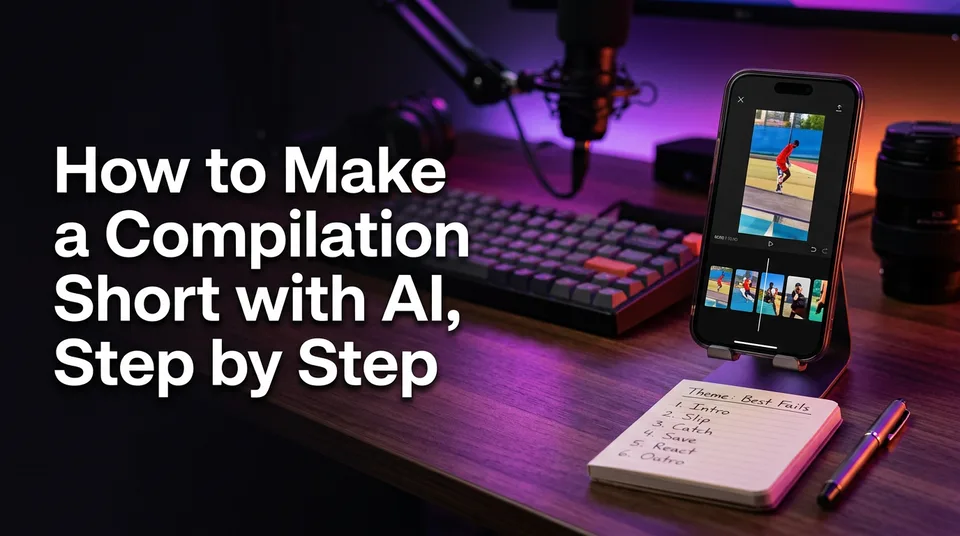
A compilation short is one vertical video built from several clips that share a theme, usually 5 to 8 of them, running under 60 seconds. A single-clip short tells one moment. A compilation sells a pattern: the five funniest fails, the best catches of the week, the most satisfying finishes.
Use a compilation when no single moment is strong enough alone, or when your audience wants a "best moments" format they can binge. Best moments compilation Reels also give you a repeatable series, which matters more for a page than one lucky post.
Step 1: Choose one theme and a hook
Pick a theme narrow enough to say in one line, then write that line as your hook. "Five rescues that made the whole crew cry" beats "Animal videos." The hook goes on screen and in your opening words within the first 1 to 3 seconds.
If you can't finish the sentence "These are all _", you don't have a theme yet. You have a folder.
Step 2: Pick clips with AI, from footage you can use
Choose clips with AI only after you've confirmed you're allowed to use the footage. The AI Clipper in WowReveal is one example of a tool that scans a long video and proposes the strongest moments, but it can't tell you whether the source is yours to use.
Sources you can safely use
- Footage you shot or own.
- Videos where the creator has given you written permission.
- Material under a licence that explicitly allows reuse and editing.
- Your own long videos, podcasts or streams you want to cut into highlights.
"It's all over the internet" isn't a licence.
Letting AI find the best moments
Paste a link to your own video or upload a file, and let the clipper return candidate moments. Expect to reject some. We've found the best picks usually have a clear beginning, a visible payoff and no dead air, and AI gets you 80% of the way there fast. Keep 8 to 10 candidates, then cut down.
Step 3: Order the clips for retention
Put your second-strongest moment first, your strongest near the end, and avoid burying anything good in the middle. Retention (the share of the video people keep watching) drops fastest in the opening seconds, so the first clip has to earn the next one.
As a guideline, aim for 5 to 8 clips and under 60 seconds, so each clip gets roughly 5 to 8 seconds. Vary the energy: don't stack three similar clips back to back. Short clips with a rising payoff keep watch time up better than an even run of equals.
Step 4: Add transitions, captions and commentary
Every clip needs an added-value layer: a framing line, a short AI voiceover, or a caption that says something the footage doesn't. This is the fix for the most common compilation mistake, stringing clips together with nothing of your own on top.
Examples of a framing line: "Watch the dog's reaction at 0:04" or "This is the third attempt, and the only one that worked." Keep transitions simple, a hard cut or a quick swipe. Add animated captions inside the safe zones, away from the bottom UI and the right-side buttons.
| Job | AI | You |
|---|---|---|
| Find moments | Proposes and cuts | Approve or reject |
| Captions | Generates, animates | Fix names and wording |
| Voiceover | Voices your script | Write the framing |
| Theme and order | No | Decide |
| Rights | No | Check every clip |
Step 5: Render in 9:16 and package the post
Render at 9:16 vertical (1080×1920) with a cover and a headline that repeats your theme line. That's the answer to how to make a compilation video for Reels, and the same file works as a YouTube Shorts upload, a TikTok and an Instagram Reels post.
Then add a title, a one-sentence description and a few relevant hashtags. On iPhone and Android, upload the finished file through the app or Meta Business Suite. The WowReveal compilations tool and best moments template cover the assembly, captions and cover in one render, but the same steps work in any editor.
Compilation rules: licensing and reused content
Platforms limit reused content, and you shouldn't expect a compilation to be monetized unless it clearly adds your own commentary or transformation. YouTube's Partner Program policies address reused content, and Meta's help center covers originality and content guidelines for Facebook content monetization. Rules change, so check both before you build a series.
If you want to make a compilation short with AI without copyright trouble, there's no trick. Use footage you own or are licensed to use, and add real commentary. Never try to dodge Content ID or originality checks. Nothing here guarantees monetization; the platforms decide eligibility.
Pre-publish checklist:
- Do I own or have written permission for every clip?
- Does each clip carry my framing line, voiceover or caption?
- Is the theme obvious in the first 3 seconds?
- Would the video still make sense if a viewer hadn't seen the originals?
If you answer no to any of these, don't post yet.
Free tools, apps and what to expect
There's no truly unlimited free AI video generator, and free compilation makers online or on iPhone and Android usually watermark exports, cap length or limit resolution. Free tiers are fine for testing a theme before you commit.
For compilation work, look for clip detection, captions, voiceover and 9:16 export in one place, rather than a plain video merger. WowReveal gives you free credits to start without a card, and failed jobs are refunded automatically. Whichever tool you pick, it handles the cutting. The theme, the order and the rights are still yours.
Frequently asked questions
Can I make a compilation short with AI for free?
Yes, to a point. Most free tools and trials watermark exports or limit length and quality. Use free credits to test your theme, then decide whether to pay.
How many clips should a compilation short have?
As a guideline, 5 to 8 clips in under 60 seconds, with the hook in the first 1 to 3 seconds. Adjust to your niche and watch your retention.
Is a compilation of other people's videos safe to post?
Not without permission or a licence, and even then platforms may treat it as reused content. Use your own or licensed footage and add original commentary.
Where to go next
- What Is a Compilation Short, and Is It Safe to Post? — A deeper look at the safety and rules question summarized above.
- What Is a Clip vs a Short? The Difference Explained — Clears up the terms used in the steps.
- Repurposing Long Video into Shorts: The Complete Workflow — How to source clips from long footage you own.
- How to Add AI Voiceover to Reels, Step by Step — Adds the commentary layer to every clip.
- How to Make a Reel Cover That Gets Taps (Cover Maker Guide) — Finishes the packaging step.
Generate your reel right now
Paste a link to a long video — AI finds the best moments and turns them into ready Shorts with captions.


No link? Upload a file
- 30 free credits
- No card needed
- Voiceover in 9 languages
- Failed jobs refunded