How to Put Commentary Over a Video (Voice and Text)
Put voice and text commentary over any clip in five steps, and learn the difference between commentary that adds value and narration that just describes the screen.
In this article
To put commentary over a video, write a short script with something new to say, record or generate a voiceover, lower the original audio under it, sync the voice to the key moments, and add captions or on-screen text. The commentary has to add analysis or context. If it only describes what viewers can already see, it's not commentary, it's a play-by-play.
That distinction matters more than the editing mechanics. Anyone can drop a voice track on a clip in 10 minutes. Whether the result survives a reused content review is a different question.
What counts as real commentary (and what doesn't)
Real commentary adds analysis, context, opinion or a point of view that the clip doesn't already show. Narrating the action on screen doesn't count.
Here's a fast check. Mute the original clip and listen to your voice alone. If a viewer learns something, hears a reason, or gets an opinion they couldn't have formed from the pictures, you're adding value. If your words could be replaced by watching the clip, you're not.
"He kicks the ball, it goes in the net" is description. "That goal works because the keeper committed early, and the striker waited one beat longer than anyone expected" is commentary.
YouTube's monetization policies describe reused content as material that's taken from other sources without significant original commentary, modification or educational value. Meta and TikTok have their own originality rules, and all of them change, so check the current wording before you build a routine around any of it.
Step 1: Write a short commentary script
A good commentary script is one short line per cut, each line carrying a point. For a 30 to 45 second short, that's usually five to eight lines, not a page of text.
A simple claim–evidence–takeaway structure
Use three parts. The claim is your point, stated in the first 2 seconds as the hook. The evidence is what the clip shows that backs it up, pointing the viewer to a specific moment. The takeaway is what the viewer should think, do or remember afterward.
Then map one line to each cut. When the picture changes, your line changes. That rhythm keeps retention up because the viewer's ear and eye get something new at the same moment.
A quick example of a commentary script
Say the clip is a barber finishing a long-hair-to-fade transformation. A description script would read "He cuts the sides, then the top." Skip that. Try this:
- Claim: "Most people think the fade is the hard part. It's not."
- Evidence (cut 2): "Watch how he takes the length off the top first, before he touches the sides."
- Evidence (cut 3): "That's so he can see the real head shape. Guessing here ruins the blend."
- Takeaway: "Next time your barber starts on top, that's why. Good sign."
Four lines, each with a reason. That's the format.
Step 2: Record or generate the narration
You can add a voiceover to an existing video by recording your own voice or generating an AI voiceover, and both work on a phone. Pick based on your language comfort, your time, and how many videos you post a day.
Recording your own voice on a phone
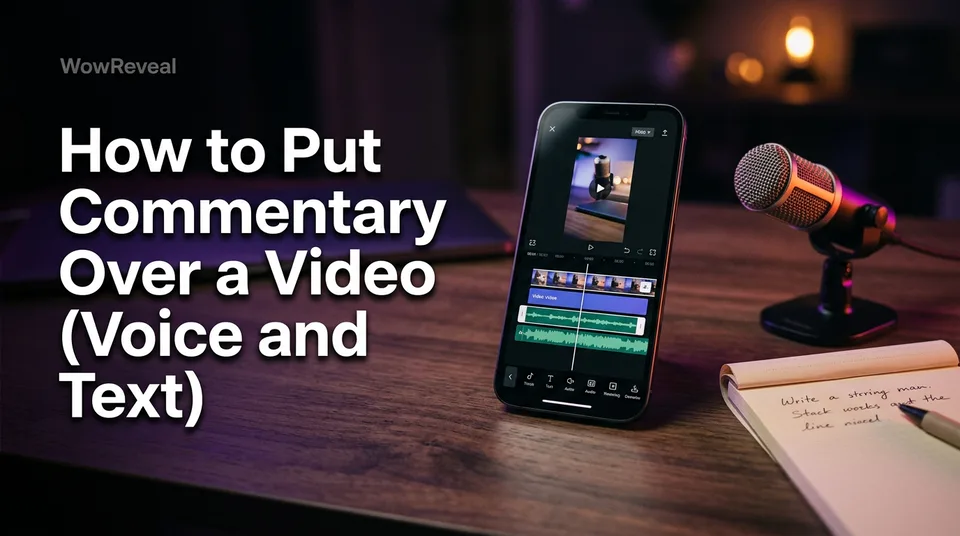
On iPhone, editors like iMovie and CapCut let you tap a record button on the timeline and talk while the clip plays. On Android, CapCut and most built-in gallery editors do the same. It's free, and it works for a voice note over a video too.
Record in a quiet room, phone about a hand's width from your mouth, and do it in one-line takes so you can redo a single cut without redoing everything. Wired earbuds with a mic beat the phone speaker in an echoey room.
Generating an AI voiceover
If you post daily or don't love your recorded voice, text-to-speech is faster. Paste the script, choose a voice, and the narration is ready in under a minute. WowReveal's story voiceover tool does this in 9 languages, which helps if you're narrating in a language you don't speak fluently.
Platforms may ask you to label synthetic voice or AI-altered media in some cases. Rules differ by platform and change often, so check the current disclosure settings before you post.
Choosing the language and voice
Match the language to your audience, not to the source clip. A calm, mid-pace voice fits explainers and analysis; a faster, punchier one fits reactions. Test the first 3 seconds with two voices and keep the one you'd keep watching.
Step 3: Lower the original audio and sync the voice
To overlay a sound on a video so the voice stays clear, drop the original audio to roughly 10 to 20% volume and keep your voice as the loudest track. This is called audio ducking: the source sound sits underneath instead of competing.
Most mobile editors let you set clip volume manually. Some apps duck automatically when a voice track plays. Either way, play it back on phone speakers, not just headphones, because that's how most viewers will hear it.
Then sync. Place each line so it starts a beat before or exactly on the cut it describes, never after. If a line runs longer than its cut, trim the words, not the video. Tight scripts beat clever editing every time.
Step 4: Add text commentary and captions
Put a comment on a video by adding on-screen text for the key point and captions for everything spoken. A lot of Reels, Shorts and TikTok viewing happens on mute, so captions aren't optional polish.
Keep on-screen text to 3 to 6 words per beat. Use it to emphasize the claim or the takeaway, not to repeat every word of the voice. Animated captions that highlight the current word usually hold the eye better than static blocks, though test them on your own audience.
For reaction commentary shorts, text works well as a label: "Notice the pause" or "This is the mistake." It points the viewer to your opinion. Export in 9:16 vertical format, 1080×1920, and keep text inside the safe zone so the platform's buttons don't cover it.
If you'd rather not assemble this by hand, WowReveal writes the story, voices it, clips the best moments, adds animated captions and renders the 9:16 file in one pass. You still decide whether the point of view is yours.
The most common mistake: describing the clip
The most common mistake is narrating the clip with nothing new to say, and the fix is giving every cut one insight, reason or takeaway. We've watched pages burn weeks of effort on voiceovers that were just subtitles read aloud, then wonder why reach stalled.
Go through your script line by line and ask "why?" after each. If there's no answer, add one: a reason, a comparison, a consequence, a tip. If you can't add one, cut the line or cut the clip.
Quick self-test before you post
Run these checks before every upload. They take a minute and catch most problems.
- Mute test: with the source audio muted, does your voice still teach or argue something?
- Swap test: could a viewer get the same value from the clip alone? If yes, rework it.
- Rights check: commentary doesn't replace permission. Use clips you own, have licensed or been cleared to use, or that the platform's rules allow.
- Audio check: voice loudest, source at about 10 to 20%, captions on.
- Label check: is AI voice or altered media disclosed where the platform asks for it?
Platform rules shift, and Facebook content monetization, the YouTube Partner Program and TikTok each decide eligibility themselves. A clean self-test doesn't guarantee approval. It just means you've done your part.
Frequently asked questions
How do I put a voice note over a video for free?
Open the clip in a free mobile editor such as CapCut, tap the voiceover or record option, and talk while the video plays. Then lower the original audio to about 10 to 20% so your voice is clear.
Is commentary over someone else's video allowed on monetized pages?
Commentary doesn't replace permission. Platforms look for original value and may still limit or demonetize content using clips you don't have rights to. Use licensed or owned footage, and check each platform's current rules.
How long should commentary lines be?
Keep one short line per cut, usually 5 to 12 words. If a line outlasts its cut, trim the words rather than stretching the clip.
Where to go next
- Reused Content Rules: How to Stay Monetization-Safe on Every Platform — Understand why commentary has to add value before you build a routine.
- How to Write a Short-Video Script with AI (Hook, Body, Payoff) — Write the commentary script faster and tighter.
- Animated Captions for Reels: Do They Help Retention? — Back up the captions step with a look at retention.
- How to Add Commentary to Reused Video for Facebook Reels — Get the Facebook-specific rules if your commentary is going on a page.
- Reused Content Checker: How to Self-Audit a Video Before Posting — Go deeper on the pre-post self-test.
Generate your reel right now
Paste a link to any video — WowReveal writes the story, voices it and adds captions, a headline and music. Ready for Reels, Shorts and TikTok.



No link? Upload a file
- 30 free credits
- No card needed
- Voiceover in 9 languages
- Failed jobs refunded