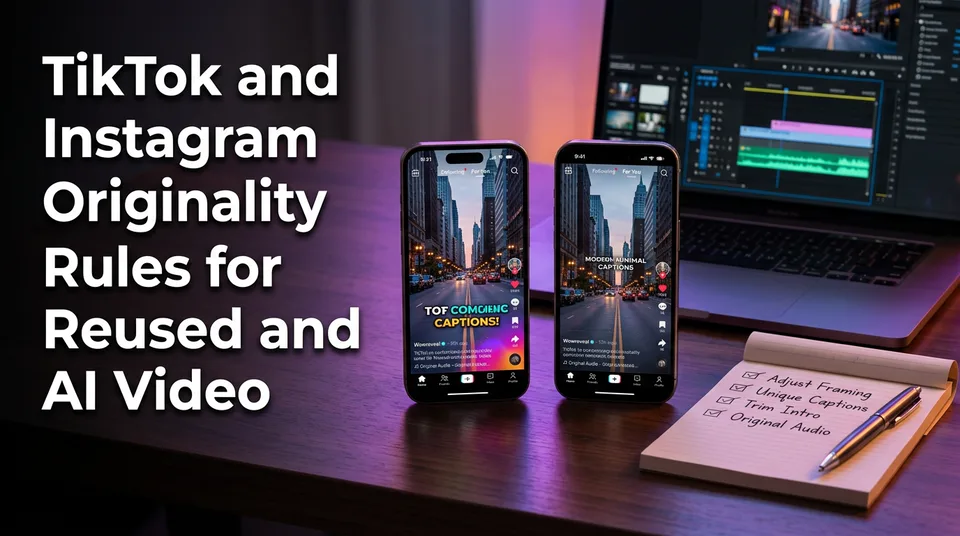
TikTok and Instagram Originality Rules for Reused and AI Video
Neither platform bans reposts outright, but both cut recommendation reach for unoriginal video. Here are the rules side by side, and one workflow that works on both.
In this article
Neither TikTok nor Instagram bans reposted or reused video outright, but both limit its recommendation reach (TikTok also withholds Creator Rewards eligibility) unless you add meaningful original changes. Realistic AI content is allowed on both platforms, but it has to be labeled. If you typed "tiktok instagram originality rules reused video" into Google, that's your answer in two sentences.
The rest of this guide covers the detail. We'll look at what each platform says in writing, what creators report on Reddit and in Facebook groups, and one adaptation workflow for publishing the same footage to both apps. Platform rules change, so treat everything here as a snapshot and check the official pages before you build a workflow around it.
Key takeaways
- TikTok usually doesn't remove reused video. It can make it ineligible for the For You feed and the TikTok Creator Rewards Program.
- Instagram doesn't ban reposts either. It prioritizes original content and gives less recommendation reach to accounts that keep reposting others' video or video with another app's watermark.
- Credit in the caption doesn't make a repost original on Instagram. A filter, crop, speed change or text overlay doesn't count as a meaningful change on either platform.
- Realistic AI-generated or AI-edited video should carry the platform's label: the TikTok AI-generated content label or Meta's "AI info" label.
- Exact thresholds aren't published by either platform. Anyone quoting a precise number of reposts that triggers a penalty is guessing.
- One source video can pass on both apps if you add your own narration or commentary, re-edit the structure and hook, and export clean files without watermarks.
What "reused" and "unoriginal" mean on TikTok and Instagram
On both platforms, "unoriginal" means video that adds nothing meaningful of your own to something that already exists, whether it came from another creator or from your own earlier post. The platforms don't publish a precise definition, so the working meaning comes from their help pages and from how recommendation behaves in practice.
Reposted vs reused vs repurposed
Three words get mixed up constantly, and the difference decides whether you're safe.
- Reposted: the same file, or nearly the same, uploaded again. Sometimes by you, often by someone else.
- Reused: footage that isn't yours, or that you've already published, with light changes such as a filter, a crop, a speed tweak or a text overlay.
- Repurposed: source footage you have the right to use, rebuilt with new narration, structure, context or commentary so the result is a different piece of work.
The first two are what get limited. The third is what the platforms want. The point isn't that you can never reuse footage. The point is that the version you publish has to earn its own existence.
Why this differs from a copyright claim
A copyright claim and an originality limit are separate systems that can hit the same video independently. Copyright is about rights: a rights holder, or an automated system like YouTube's Content ID, says you used protected material without permission.
Originality is about the platform deciding what's worth recommending. You can own every frame and still get limited for reposting it ten times. And you can add commentary and still face a copyright issue if you didn't have the right to use the footage. Fix both, not one.
TikTok's rules on unoriginal and reposted video
TikTok's stated approach is to make unoriginal video ineligible for recommendation and rewards rather than to delete it. The practical result is a video that sits on your profile, can be found by people who follow you or search for you, and mostly doesn't travel to strangers through the For You feed.
Can you reuse content on TikTok?
Yes, within limits, and TikTok builds sanctioned reuse into the product. Duet and Stitch are made for responding to other people's videos, with the original creator's attribution attached and an expectation that you add your own reaction, answer or commentary.
Downloading someone's video and re-uploading it with a filter is a different thing. That's the pattern the originality rules target. Permission from the creator is the baseline for using footage you didn't shoot, but permission alone doesn't guarantee reach. A permitted clip with no contribution from you is still thin.
What the "unoriginal" flag does to reach and Creator Rewards
TikTok's Creator Rewards Program page describes original content as an expectation for eligibility. Video that TikTok judges unoriginal can be excluded from For You recommendations and from earning under the program. Eligibility requirements for the program itself (follower counts, video length, region) are listed there and do get updated, so read the current version.
Two honest caveats. TikTok doesn't publish how many reused videos trigger a limit. And creators often can't tell whether a slow video is flagged or simply uninteresting. Treat a reach collapse as a signal to audit the video, not as proof of a penalty.
Instagram's original-content rules and reposted Reels
Instagram's stated direction is to favor original creators in recommendations and to reduce the reach of accounts that mostly repost other people's work. Its Instagram Originality guidelines and Help Center pages describe this, and Instagram has said publicly over the past few years that aggregators are less likely to be recommended. Check the Instagram Help Center for the current wording.
Does Instagram penalize reposted videos?
Instagram doesn't ban a reposted video on its own, but repeatedly reposting others' content without meaningful changes can reduce how often your Reels appear in Instagram recommendations. The penalty, where it exists, is usually quiet: fewer suggestions to non-followers, not a takedown.
Credit doesn't fix it. Tagging the original creator is polite and sometimes legally helpful, but Instagram's guidance treats a credited repost as still a repost. Instagram doesn't publish a threshold, so you can't count your way to safety.
Watermarks, aggregator accounts and recommendation eligibility
A visible TikTok or other-app watermark is a known reach killer on Reels. Instagram has said for years that it doesn't favor video carrying another app's watermark, and our own testing habit is simple: never post one.
Aggregator accounts, pages that mostly collect and share others' clips, are the group Instagram's originality push targets hardest. If your page is mostly other people's footage with a title on top, you're in that group regardless of how nicely you credit.
You can check your standing yourself. With a professional account, Meta Professional Mode and Account Status shows whether your content is currently eligible for recommendation and flags problems. Check it monthly if you cross-post heavily.
Instagram's monetization and bonus programs also lean on originality. Eligibility details change by program and country, so read each program's own page.
AI-generated video: what each platform expects
Both platforms allow AI-generated video, but realistic AI content should be labeled, and low-effort mass-produced or deceptive AI content can still fall under unoriginal or spam rules. AI is a production method, not a violation. What gets you in trouble is what you do with it.
Labeling AI content on TikTok
TikTok asks creators to label realistic AI-generated or significantly AI-edited content, using the TikTok AI-generated content label in the post settings. TikTok can also apply labels automatically when it detects certain AI metadata. Unlabeled realistic AI content that misleads viewers risks removal or reduced distribution.
Obviously fictional animation doesn't carry the same risk as a photoreal clip of something that never happened. When in doubt, label it.
Labeling AI content on Instagram
Meta uses the Meta "AI info" label on Instagram. It can be applied automatically when industry-standard signals are detected, and creators are expected to disclose realistic AI content themselves. Meta's help pages explain where the disclosure option sits in the post flow. That location moves between app versions, so look at your current build.
AI voiceover and AI visuals vs unoriginal reuse
An AI voiceover over footage you have rights to is not unoriginal reuse by itself. It's a narration track you wrote, and original narration is one of the clearest meaningful changes you can make. The risk is the opposite case: the same stock script, same synthetic voice and same stock clips posted at volume across dozens of pages. That looks like spam, and it reads like spam to viewers too.
Our view after watching pages try both: the script is the original part. If you wrote or substantially shaped it, you've added something. If you pasted a generic one, you haven't.
TikTok vs Instagram: reused and AI content side by side
The two platforms agree on the principle and differ on the mechanics. Here are the rules in one view, with the source of each claim marked so you can tell stated policy from creator-reported behavior.
| TikTok | Instagram Reels | |
|---|---|---|
| What happens to reused video | Generally not removed. Can become ineligible for the For You feed and Creator Rewards. | Not banned. Repeated reposts or watermarked video get reduced recommendation reach. |
| What happens to AI content | Allowed. Realistic AI content should carry the AI-generated content label. Mass-produced low-effort content can be treated as unoriginal. | Allowed. Realistic AI content should be disclosed, and Meta may add the "AI info" label. Low-effort mass posting can hurt reach. |
| What counts as a meaningful change | Original commentary or narration, new structure or story, added context, substantive editing. | The same. Credit alone doesn't count. |
| Monetization link | Creator Rewards expects original content. | Bonus and monetization eligibility also depends on originality. |
| Where the rule is stated | TikTok Creator Rewards and community guideline pages. | Instagram Help Center and public statements from Instagram leadership. |
| Thresholds published? | No. | No. |
| Creator-reported only | Slow reach after cross-posting from other apps. | Drop in Reels distribution after bulk reposts. |
A filter, crop, speed change or text overlay doesn't make the "meaningful change" column on either side. We've watched pages spend weeks on those tweaks and still lose reach.
Can you use the same video on TikTok and Instagram?
Yes, you can use the same underlying footage on both platforms, as long as it's yours (or you have permission), it has no other app's watermark, and each version is adapted to the platform. Posting an identical file everywhere is the lazy version of the same idea, and it's the version that costs reach.
Why you should export without the other app's watermark
Download or export clean files without TikTok or Instagram watermarks before posting elsewhere. A watermark signals to the recommendation system, and to viewers, that the video was made for a different app. Instagram has been explicit about disliking them.
The fix is boring but effective: keep your master project, then export a clean 9:16 file at 1080×1920 for each platform. Don't screen-record, and don't download from the other app and crop out the logo. Cropping leaves a smeared corner and a weaker video.
How much to change per platform
You don't need to rebuild the video twice. Change the parts that give the platform a reason to treat each upload as its own piece of work.
- Hook: rewrite the first 3 seconds and the on-screen headline for each platform's audience.
- Captions: restyle them, and re-time them if your edit changed.
- Cover: make a different cover frame and title.
- Caption text and hashtags: write them fresh for each platform.
- Length and pacing: trim or extend to suit the platform.
If the story and narration are the same across both, that's fine. The narration is your original contribution. The wrapper is what you adapt.
How to adapt one video so it passes on both
The reliable way to pass on both platforms is to make one original master with a real contribution of your own, then export two platform-specific versions with different hooks, covers and captions. No workflow guarantees recommendation, but this one removes every avoidable risk.
Add original commentary or narration
Narration is the cheapest meaningful change. Write a script that tells the story, explains the context or gives your take, then record it or use an AI voiceover. A script that adds a point of view turns a clip into a piece of work.
This is where WowReveal fits. It writes a story from your source video and voices it in 9 languages, which is useful when you're not a native English speaker and don't want to record 20 takes. You still decide what the story says, and you still own whether it's accurate and rights-cleared.
Re-edit the hook, captions, cover and structure
Reorder. Cut dead time. Open on the payoff or the question, not the setup. Then restyle the captions and make a cover.
If you're starting from a long video, an AI Clipper such as the WowReveal AI Clipper can find the best moments for you to build from. Treat its output as raw material for your edit, not as a finished original. Add the narration, headline and structure on top, then export 9:16.
Keep source rights and credit clear
Only use footage you shot, licensed, or have written permission to use. Credit the creator where you've been given permission, and keep the permission message somewhere you can find it.
Credit is good practice and often a condition of permission. But as covered above, it isn't what makes a video original. Your changes do that.
Pre-post checklist
Run this before each post. It takes about 2 minutes once it's habit.
- Do I have the rights or written permission for every clip?
- Is there anything meaningful of mine in it, such as narration, commentary, structure or context?
- Is the file clean, with no TikTok or Instagram watermark?
- Is the hook, cover and caption written for this platform, not copied?
- Is realistic AI content labeled with the platform's label?
- Have I posted near-identical versions to other pages I run?
If any answer is no, fix it before posting. If you can't fix it, don't post.
Common cross-posting mistakes that cut reach
The mistakes that cut reach are almost always the same few, and Reddit threads on this topic keep circling them. These are creator-reported patterns, not published enforcement rules, so read them as pattern recognition rather than policy.
- Re-uploading the same file. Same video, same caption, posted again a week later.
- Mass duplicates. The same video across many pages you run. Small agencies get caught by this most often.
- Leaving the watermark in. Especially the TikTok logo on Reels.
- Relying on credit. "Credit to the original creator" in the caption, with nothing added.
- Cosmetic edits only. A filter, a mirror flip or a speed change.
- Skipping AI labels. Realistic AI visuals posted as if they were real footage.
- Identical captions and hashtags everywhere. It looks like automation, and it is.
Notice that none of these is "used footage twice." They're all versions of adding nothing.
What to check if reach drops after posting
If reach drops, check the video against the originality basics first, then check account-level tools, and accept that you may not get a definite answer. Most drops come from weak hooks and poor retention, not from a flag, and it's worth ruling those out first.
Work through it in this order:
- Compare the video's first 3 seconds and watch time to your usual posts. A weak hook produces the same symptoms as a limit.
- Check for watermarks, duplicate uploads and near-identical posts on other pages.
- On Instagram, open Account Status and look for recommendation warnings.
- On TikTok, check whether the video and your account show any eligibility notice for the For You feed or Creator Rewards.
- Re-edit with real narration or structure changes, and test with a fresh upload rather than editing the old one.
What stays uncertain: exact thresholds, how fast limits lift, and whether a particular drop is a flag at all. Official pages and in-app notices are the only reliable sources. Everything else, including this article, is a best reading of rules that change.
Frequently asked questions
Does Instagram penalize reposted videos?
Instagram doesn't ban reposts outright, but it prioritizes original content and gives less recommendation reach to accounts that repeatedly repost others' video or video with another app's watermark. Crediting the original creator doesn't change that. Instagram doesn't publish a threshold, and policies can change.
Can you use the same video for TikTok and Instagram?
Yes, if the footage is yours or you have permission. Export a clean file without either app's watermark, and adapt the hook, cover, captions and caption text for each platform. Posting an identical file everywhere is what tends to cost reach.
Is it okay to allow reuse of content on TikTok?
TikTok has built-in reuse features, Duet and Stitch, which attribute the original and expect you to add your own reaction or commentary. Re-uploading someone else's video with light edits is different and can make it ineligible for the For You feed and Creator Rewards.
What is the 5-3-1 rule for Instagram?
It's a popular creator routine for posting and engagement cadence, not an Instagram policy, and versions of it vary between creators. It has nothing to do with originality rules, so don't expect it to protect a reposted video.
What is the 3 second rule on TikTok?
It's a creator guideline that viewers decide within about 3 seconds whether to keep watching, so your hook has to land immediately. It's about retention, not a TikTok rule, and it doesn't affect originality eligibility.
Where to go next
- Reused Content Rules: How to Stay Monetization-Safe on Every Platform — the foundation: what reused content means across platforms before you compare them.
- Reused Content Policies Compared: Facebook, YouTube and TikTok — extends this comparison to Facebook and YouTube.
- TikTok Monetization Requirements for Short-Video Creators: What You Need and How to Check — the Creator Rewards eligibility details this article only points to.
- How to Label AI-Generated Content on Reels, Shorts and TikTok — step-by-step labeling for the AI rules covered above.
- How to Post the Same Video on Reels, Shorts and TikTok Safely — practical cross-posting steps beyond these two platforms.
- Reused Content Checker: How to Self-Audit a Video Before Posting — a self-audit to run before you publish.
- Monetization-Safe Shorts: A Pre-Publish Checklist for Every Reel and Short — the full checklist that completes the adaptation workflow.
- What Is the 5-3-1 Rule on Instagram? — the full answer on the posting routine people keep asking about.
- TikTok Creator Rewards vs Facebook Content Monetization: Which Fits Your Page? — compares the two programs once your video is original.
- Can You Post AI or Repurposed Video on Facebook Without Breaking Originality Rules? — the Facebook side of the same originality question.
- What Is a Compilation Short, and Is It Safe to Post? — a format that often triggers reused-content limits.
- Platform Rules for Monetized Shorts: The Cross-Platform Hub for Reels, Shorts and TikTok — the parent hub for every platform rule.
Generate your reel right now
Paste a link to any video — WowReveal writes the story, voices it and adds captions, a headline and music. Ready for Reels, Shorts and TikTok.



No link? Upload a file
- 30 free credits
- No card needed
- Voiceover in 9 languages
- Failed jobs refunded