Why Is My Reel Not Getting Views? A Diagnosis Checklist
A Reel stalls when viewers leave early or the platform limits it. Here's the order to check both, and how to test fixes without guessing.
In this article
If you're asking why is my reel not getting views, it usually comes down to one of two causes. Either viewers leave early (weak hook, low watch-through, unoriginal or poorly captioned content), or the platform is limiting distribution (restricted or reused content, account standing). Check those in order, then change one variable at a time, and you'll find the cause instead of guessing.
No checklist promises virality. This one tells you what's broken so you stop fixing the wrong thing.
Start With the Symptom: 0 Views, 200 Views or a Sudden Drop
Your view pattern points to the likely cause before you open a single setting. Here's the quick map.
| Symptom | Likely cause | Check first |
|---|---|---|
| Stuck at 0 | Blocked or not shown | Account status, privacy, audio |
| Stuck near 200 | Failed the test audience | Retention graph |
| Sudden drop | Something changed | Recent posts, notices |
Stuck at 0 views
Real zero, not 12 or 30, usually means the Reel isn't being distributed at all. Confirm it's public, the audio wasn't removed, and your account has no restriction notice. On a brand new account, the first few posts often get almost nothing because the platform has no history to match you with viewers. That's normal, and it's not a penalty.
Stuck around 200 views
A plateau around 200 is most often a test-audience result. The platform shows a Reel to a small group first, and if they don't stay, it doesn't push it wider. So the Reel isn't punished. It just didn't earn the next round.
A sudden reach drop on a page that used to perform
When reach falls off a cliff, ask what changed in the last 2 weeks. Did you start reposting clips? Switch format? Get a copyright or reuse notice? We've watched pages lose reach for weeks after leaning on a few unoriginal clips, even though the rest of the content was fine. Compare your last 10 posts, not one.
Step 1: Rule Out Platform Flags First
Platform flags come first because no amount of editing fixes them. If distribution is capped, a perfect hook still goes nowhere. Rules change, so check the official Meta Business Help Center and Instagram Help Center for current wording.
Reused or unoriginal content
Reposted, watermarked or lightly edited clips of other people's content can get reduced distribution. Both Meta and YouTube Partner Program rules put weight on originality. The fix isn't a trick. Add real transformation: your own narration, a story, a new structure. And only use footage you have the right to use.
Restricted or recommendation-ineligible content
Content that breaks recommendation or community guidelines can be pulled from recommendations without being deleted. The Reel stays up, followers might see it, but non-followers never do. If your reach from non-followers is close to zero while followers still watch, suspect this.
Account standing and status checks
On Instagram, open Account Status in settings and read it. On Facebook, check Page quality and the Support Inbox in Meta Business Suite. Look for strikes, limits or restrictions. If something's there, fix that before touching your editing.
Step 2: Check the Hook in the First 3 Seconds
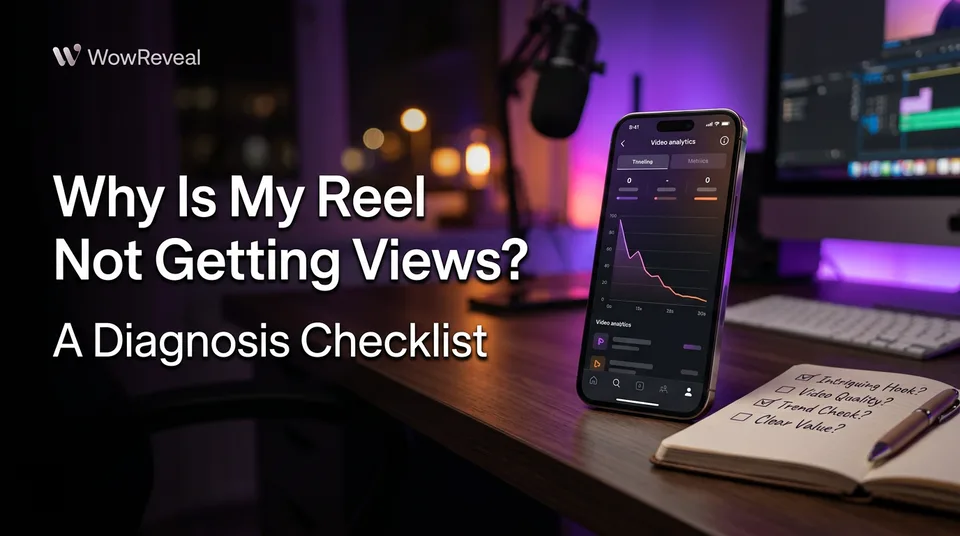
A weak hook is the most common content problem, and your retention graph shows it. Open the Reel in Instagram Insights or the Meta Professional dashboard and look at the curve. A steep fall in the first 3 seconds means people scrolled before you gave them a reason to stay.
The fix: show the payoff or ask the question immediately. Cut logos, slow intros and "hey guys." Put a headline on screen at second zero. If the best moment of your video is at 0:40, start there.
Step 3: Check Length and Watch-Through
The right length is the shortest one that still tells the story. Check completion rate, the share of viewers who watch to the end, and compare it across your short and long Reels.
If a 50-second Reel loses half its viewers at 15 seconds, the extra 35 seconds is padding. Trim it. A tight 25-second story with an ending beats a bloated 60-second one almost every time. But a long Reel that holds the graph flat is fine, so judge by the curve, not a rule.
Step 4: Check Originality, Captions and Audio
Silent viewers, muffled voice or muted audio quietly kill watch time. Test each one.
- Captions: Most people watch with sound off at least some of the time. Use large, readable on-screen text. Animated captions that highlight words as they're spoken keep eyes on the screen.
- Voice: Use a clear AI voiceover or your own recording, with music sitting well below the voice.
- Music: Muted or copyrighted audio can strip sound or limit reach. Use licensed tracks.
- Originality: Narration and story turn a raw clip into something that's yours.
Hashtags are a minor factor. Three to five relevant ones are plenty, and a banned hashtag can hurt, but they're rarely why a Reel flops.
This is where a tool saves time. WowReveal's AI Clipper finds the strongest moments in a long video, and adds captions and a voiced story, so you're testing hooks instead of editing for hours.
Step 5: Run a One-Variable-at-a-Time Test Plan
To get more views, change one variable per post and judge it across 5 to 10 posts, not one. A single Reel is noise. Time of day, topic and luck all shift the number.
- Pick the weakest check from steps 2 to 4.
- Change only that: hook, length, captions, audio or cover.
- Post 5 to 10 Reels with that change and keep everything else steady.
- Compare retention graph and completion rate against your previous 5 to 10.
- Keep what moved the curve, then pick the next variable.
As for why your Reel isn't going viral: reach beyond your followers follows retention and shares, and you can't force either. You can only remove what stops them. For a deeper read on Reels, the Facebook Reels and Instagram Reels systems each report this in their own dashboards.
When Low Views Are Normal
Low views are normal on a new account, a small audience, or a niche still finding its viewers. A new Instagram Reels account has no history, so early posts are test batches. Expect a slow start, not a verdict.
Facebook and Instagram report differently, so compare Reels within the same app. Judge your number against your own baseline over a month, not against a viral account with 10 times your audience. Rules and reporting change, so recheck the official help pages if something looks off.
Frequently asked questions
Why are my reels stuck at 200 views?
Usually that's the initial test audience. The platform shows the Reel to a small group, and if they don't stay, it isn't pushed wider. Check the retention graph for an early drop-off and rework the hook.
Why am I stuck on 0 views?
Check Account Status first, then confirm the Reel is public and its audio wasn't removed. On a new account, near-zero early views are common because the platform has no history to match you with viewers.
How long should I wait before judging a Reel?
Don't judge one Reel at all. Change one variable and compare 5 to 10 posts against your previous 5 to 10, using retention and completion rate instead of raw views.
Where to go next
- What Is Completion Rate on Reels and Shorts? — Explains the watch-through metric behind this diagnosis.
- How to Find Where Viewers Drop Off in Your Shorts (and What to Fix) — Shows how to read the retention graph for the hook and length checks.
- Animated Captions for Reels: Do They Help Retention? — Deepens the captions check.
- Monetization-Safe Shorts: A Pre-Publish Checklist for Every Reel and Short — Covers the originality and restricted-content checks before you post.
- How to Make Your Reels Go Viral on Facebook: Signals, Tactics and Fixes — The next step once you've found the cause.
Generate your reel right now
Paste a link to a long video — AI finds the best moments and turns them into ready Shorts with captions.


No link? Upload a file
- 30 free credits
- No card needed
- Voiceover in 9 languages
- Failed jobs refunded