How to Clip a Long Interview Into Shorts Without Losing Context
Stop getting "what is he talking about?" comments. A context-first workflow for turning long interviews into Shorts, Reels and TikToks that stand alone and stay honest.
In this article
To turn an interview into short clips, pick complete, self-contained exchanges (a question plus its answer, or one finished thought), add a short headline or lead-in line that supplies the missing context, reframe the speaker to 9:16, and only use footage you have rights or permission to use. That's the whole method. The rest of this guide is how to do each part quickly, so you can clip a long interview into shorts for YouTube Shorts, Facebook Reels, Instagram Reels and TikTok without the "that's not what he meant" comments.
Why Interview Clips Lose Context (and Lose Viewers)
Interview clips lose context because the setup that made the answer land stayed behind in the full video. A viewer who scrolls into second 0 of your clip has no question, no name, no topic. Just a stranger saying "and that's exactly why it failed."
We've watched pages cut the punchiest sentence from a 60-minute talk, post it, and get a pile of confused comments instead of watch time. The sentence was good. The clip wasn't, because it leaned on a pronoun ("that", "it", "they") that pointed at something the viewer never saw.
Confused viewers swipe in the first 2 seconds. That hurts retention, and retention is what every short-form feed rewards. Context isn't polish. It's the thing that keeps someone watching.
Step 1: Choose Self-Contained Statements
Choose clips where a stranger could understand the point with zero prior context: a question and its answer, or one finished thought. Avoid anything that starts mid-sentence or depends on a pronoun for meaning.
The three-question self-contained test
Play the candidate clip with the sound on and ask:
- Who and what? Can a new viewer tell who is talking and what the topic is within 3 seconds, with the help of a headline?
- Does it start cleanly? Does the first word begin a thought, not continue one ("so", "and", "which is why")?
- Does it finish? Does the last sentence close the idea, or does it trail off into the next point?
Two yes answers aren't enough. If any answer is no, move the in-point, move the out-point, or drop the moment.
Question-and-answer pairs vs. stray sentences
A question-and-answer exchange almost always beats a stray punchline. The question gives the viewer a reason to wait for the answer, which is a built-in hook. A stray sentence gives them nothing to wait for.
When you scan a transcript, look for the interviewer's question marks first. Then check whether the answer resolves within about 30 seconds. If the guest rambles for two minutes before the payoff, skip it. Good moments also tend to carry emotion, surprise or a clear payoff, which you can judge from the reply.
Step 2: Add a Headline or Lead-In Line to Restore Context
A headline or lead-in line in the first 1-2 seconds replaces the context you cut out. It should name who is speaking, the topic, or the question that was asked, in one short line of on-screen text.
A simple lead-in formula
Use this: [Who] on [topic]: [the question or the tension].
- "Ex-chef on why restaurants fail: what nobody budgets for"
- "Coach asked: should you quit a job you hate?"
- "Founder explains why his first product flopped"
Keep it under about 8 words where you can. It sits in the upper area of the frame, clear of the platform's interface elements, and stays for the first few seconds. Add animated captions too. Most people watch muted, and captions carry the point when they do.
When to keep the interviewer's question
Keep the interviewer's question in the clip when it's short, sharp and is the hook itself ("Why did you walk away from a million-dollar deal?"). Cut it and replace it with a lead-in line when it's long, wordy or full of preamble. If the question takes 15 seconds, the viewer is gone before the guest opens their mouth.
Step 3: Frame the Speaker for Vertical 9:16
Frame the speaker so the face sits in the upper-middle of a 9:16 (1080×1920) frame, and follow whoever is talking. A straight center crop of a 16:9 interview often cuts off half a face or leaves dead space.
Keep the face and your captions out of the bottom area where each platform places its caption, username and buttons. Platform interface layouts change, so check a draft on your own phone before you batch a week of posts.
One speaker vs. two-person interviews
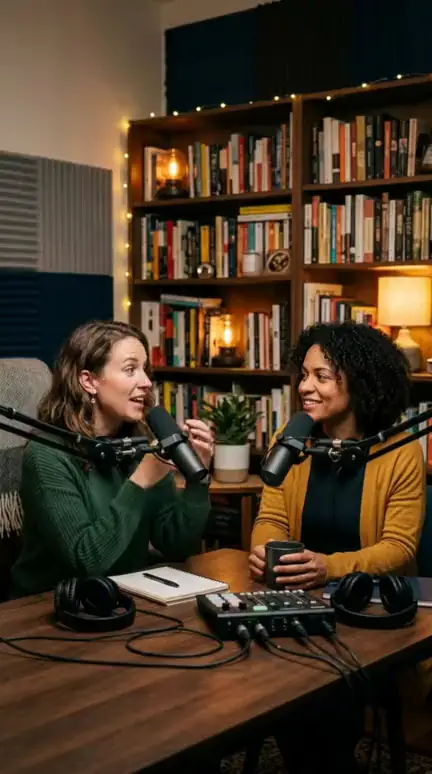
With one speaker, a single crop usually holds for the whole clip. With two people, you have two options. Either cut between tight crops of each person as they speak, or use a stacked layout with both faces, one above the other. Don't park the crop on one person while the other is answering. The viewer hears a voice with no face attached, and it feels broken.
Step 4: Check Clip Length and Where You Cut
Aim for 20-45 seconds, and end on a completed thought, not at a timer. A 28-second clip that closes its idea beats a 45-second clip that stops mid-point.
Start on the first word of the thought, with no dead air. End half a second after the last word, so the cut doesn't clip the sentence. If you're building a highlight reel of several moments, treat each moment with the same rules and keep a visible lead-in line for every new segment. For the numbers behind length, see the full guide on clip length in the related list below.
Rights and Misquote Cautions Before You Post
Only post interview footage you own, or have permission from the speaker or rights holder to use, and never cut it so the meaning changes. Reposting someone else's video with no permission or original contribution is exactly what originality rules target, and platform rules change, so read the current ones.
Run a quick misquote check: would the speaker agree with this cut? If the full answer was "it fails if you ignore X, but it works when Y," a clip that keeps only the first half is a misquote. Credit the source in the caption or on screen. And skip clips that are pure repost with nothing added.
Doing It Faster With an AI Clipper
An AI clipper finds candidate moments in a long video for you, so you review instead of scrubbing a timeline. Manual editing in a tool like CapCut gives full control, but a one-hour interview can eat an afternoon.
Our WowReveal AI Clipper takes a pasted link or an uploaded file, picks the strongest moments, adds animated captions, a headline, music and a cover, and renders 9:16. Free credits are available to start with no card, so you can test before paying. You can also look at YouTube's own help page on creating Shorts, which covers making Shorts from longer videos.
One rule though: always review AI-picked moments for context. The tool finds peaks, but you decide whether the clip passes the three-question test, and whether the speaker would agree with the cut. The same clip can go to YouTube Shorts, TikTok and Reels. Just check the framing and headline placement on each.
Frequently asked questions
Is there a free AI clip generator for long videos?
Several tools offer free tiers or free credits, usually with limits on length, watermarks or exports. WowReveal gives free credits to start with no card. Whatever you use, review each clip for context before posting.
How long should an interview clip be?
Typically 20-45 seconds, ending on a completed thought. Cut where the idea finishes, not where a timer says to stop.
Can I clip someone else's interview?
Only with permission from the speaker or rights holder, or if the footage is yours. Credit the source, and never cut so the meaning changes.
Where to go next
- What Makes a Moment Clip-Worthy: Emotion, Surprise, Payoff — Helps you judge which moments in an interview deserve a clip.
- Choosing the Right Source Video for AI Clipping — Source quality decides how clean your framing and context will be.
- AI Stream Clipper: How to Turn Podcasts and Streams into Shorts — Shows how to automate the clip-finding step.
- How Long Should a Clip Be for Shorts and Reels? — Detailed guidance on clip length and cut points.
- Can You Post AI or Repurposed Video on Facebook Without Breaking Originality Rules? — Covers the rights and originality side of reusing interview footage.
Generate your reel right now
Paste a link to a long video — AI finds the best moments and turns them into ready Shorts with captions.


No link? Upload a file
- 30 free credits
- No card needed
- Voiceover in 9 languages
- Failed jobs refunded