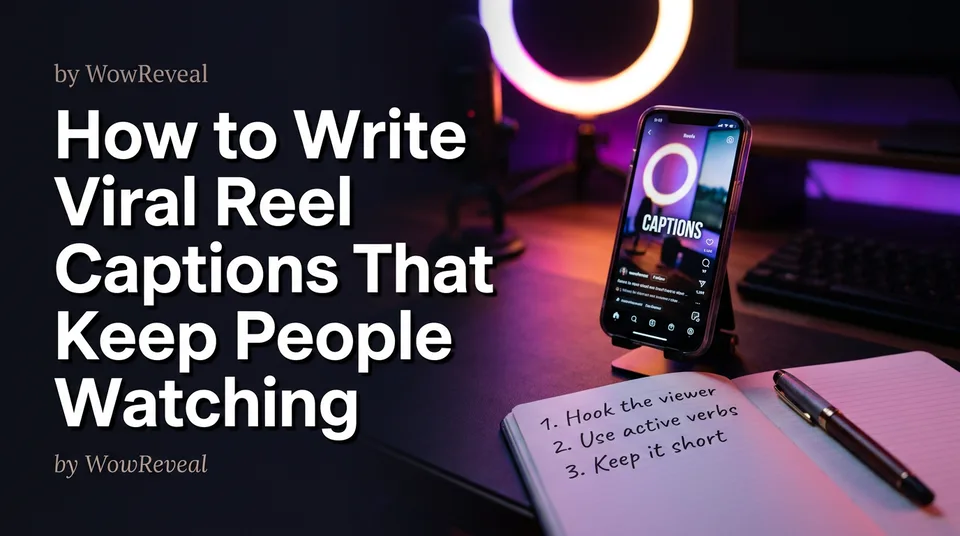
How to Write Viral Reel Captions That Keep People Watching
A strong Reel caption is a hook, one line of context and one call to action. Here's the structure, the cut-off test and real before/after examples for monetized-page niches.
In this article
How to write viral reel captions comes down to three parts: a short hook line, one line of context and one call to action. The post caption supports search and context, while on-screen captions keep people watching. And no caption alone makes a Reel go viral. It supports distribution, nothing more.
We've watched pages spend an hour polishing a caption for a Reel whose first 2 seconds were weak. The caption didn't save it. Fix the video first, then write the caption as the last 5 minutes of work.
Post caption vs on-screen captions: two different jobs
The post caption is the text you type in the caption field, and it supports search and context. On-screen captions are the animated captions burned into the video, and they support retention. They're written and tested separately.
| Post caption | On-screen captions | |
|---|---|---|
| Where it lives | Caption field under the Reel | Inside the 9:16 video |
| Main job | Context, search, a nudge to act | Keep viewers watching, work with sound off |
| Written for | Someone deciding whether to engage | Someone already watching |
| Fails when | It's vague or misleading | It's too long or off-beat |
One of the most common mistakes is pasting the spoken transcript into the post caption. Don't. Viewers who read it twice get nothing new.
The 3-part caption structure: hook, context, call to action
A good caption has three lines: a hook, one line of context and one call to action, separated by line breaks so it scans on a phone. That's the whole formula. Keep each line doing one job.
Line 1: the hook
The hook line is the only part most people read, so it must stand alone. Name the payoff or the tension: "She hadn't walked in 3 years" beats "Look at this." Specific beats clever, every time.
Line 2: one line of context
Add one fact the video doesn't already say: where, how long, what changed. This is also where a natural keyword belongs, in a real sentence ("Rescued from a flooded drain in Lagos"), never in a list.
Line 3: one clear call to action
Ask for one thing. "Which part surprised you?" or "Save this for your next restoration." A call to action that asks for like, share, follow and comment at once gets none of them.
How long should a Reel caption be?
A Reel caption should be short, with the entire hook visible before the "more" cut-off. We won't give you one ideal character count, because the cut-off shifts by app version, device and language. Test it yourself.
Here's the cut-off test: post a draft to a private account or check your preview on your own phone, and read only what shows before "more." If that line makes no sense alone, or gives away nothing worth tapping for, rewrite it. Everything after line 1 can be brief. Two or three short lines total is plenty for most Reels.
For short, punchy captions, cut adjectives first. "Before and after" doesn't need "amazing."
Reel caption examples for 3 niches
The best caption for a Reel is the one that describes what actually happens in the video, in the viewer's own words. Here are before and after versions for three monetized-page niches.
Animal rescue
- Before: "Cute puppy rescued! Follow for more 🐶🐶🐶"
- After: "He was found shivering under a bus seat.\nThree weeks later, he's chasing his own tail.\nWould you have stopped?"
Satisfying restoration or haircut transformation
- Before: "Satisfying transformation, wait for it!!"
- After: "A rusted 1960s hand plane, 6 hours of work, one clean shaving.\nThe last 5 seconds are the best part.\nSave this if restoring tools is your thing."
For a funny take on a haircut: "He asked for 'just a trim.' The barber had other plans. Rate the result 1 to 10."
Podcast clips or street food
- Before: "Great podcast moment, listen to the full episode!"
- After: "A guest admits the mistake that cost him his first business.\nClip from episode 42.\nHave you made this one too?"
Street food works the same way: "This vendor flips 200 skewers a night. Watch his hands, not the grill. Which stall should we visit next?"
Captions for trending Reels and for TikTok
For trending Reels, keep the hook tied to what your video actually shows, not to the trend. Using a trending audio doesn't mean borrowing the original creator's caption or topic. Write your own line that fits your footage.
On TikTok, a good caption follows the same hook-first approach: a short first line, a touch of context, one ask. Both platforms favor brevity. But their search behavior, caption display and hashtag culture differ and change over time, so check each platform's own guidance before pasting one caption everywhere. Instagram's creator hub is the official starting point for Instagram Reels, and the same habit applies to TikTok and YouTube Shorts: read the current help pages, because rules shift.
On Facebook Reels, the caption matters for context, but originality of the video itself matters far more for Facebook content monetization. Never repost someone else's clip and hope a caption fixes it.
Common reel caption mistakes
The mistakes that cost the most are clickbait that doesn't match the video and keyword stuffing. Both teach viewers to distrust your page.
- Clickbait mismatch. "You won't believe what he did" over a clip where nothing happens. Viewers leave early, retention drops, and on monetized pages an exaggerated claim can also attract policy trouble.
- Keyword stuffing. A caption that reads "rescue dog cute dog viral reels animal" helps nobody. Use a few hashtags that describe the video, after your three lines.
- Unclear or missing call to action. If you don't ask, most people won't.
- Repeating the on-screen text word for word. It wastes the one line viewers see before "more."
Run a mismatch check before posting: does every claim in the caption appear in the video? If not, cut it.
Generate caption options faster with a post kit
A post kit speeds up caption writing by giving you several options to edit rather than a blank field. The WowReveal post kit generates titles, descriptions and hashtags for a finished video, so you can pick a hook, tighten it and match it to what the clip shows.
The workflow we'd use: generate options, pick the hook that passes the cut-off test, rewrite line 2 with one real detail, then choose a single call to action. Edit by hand every time. Generated text is a draft, and it doesn't know your audience's slang or what the video really delivers.
Then check the on-screen captions separately. That's a retention question, not a caption-field question.
Frequently asked questions
What is the best caption for Reels?
The best caption is a short hook that matches the video, one line of context and one call to action. It shouldn't promise anything the clip doesn't deliver.
How long should a Reel caption be?
Short enough that line 1 works before the "more" cut-off and the whole caption scans in seconds. The exact cut-off varies by device and app version, so test it on your own phone.
Can a caption make my Reel go viral?
No. A caption supports search, context and engagement, but views depend mostly on the video itself and the platform's distribution. Nobody can guarantee views or earnings.
Where to go next
- Captions That Help a Reel Go Viral: A Simple Formula and Examples — a deeper formula and more examples after this overview.
- Animated Captions for Reels: Do They Help Retention? — covers the on-screen side of the post-vs-on-screen split.
- Post Kit for Reels and Shorts: How to Write Titles, Descriptions and Hashtags — shows how to generate caption options step by step.
- Hashtags for Reels: How Many to Use and Which Ones Actually Help — finish the caption without stuffing keywords.
- How to Make Reels Go Viral: The Practical Guide — places captions inside the wider growth picture.
Generate your reel right now
Paste a link to any video — WowReveal writes the story, voices it and adds captions, a headline and music. Ready for Reels, Shorts and TikTok.



No link? Upload a file
- 30 free credits
- No card needed
- Voiceover in 9 languages
- Failed jobs refunded