AI Clippers for Twitch and Gaming Streams: Options, Free Tiers and Limits
Free Twitch AI clippers exist, but they come with caps. Here's how the three tool types differ, where AI misses, what you're allowed to repost, and a quick review checklist.
In this article
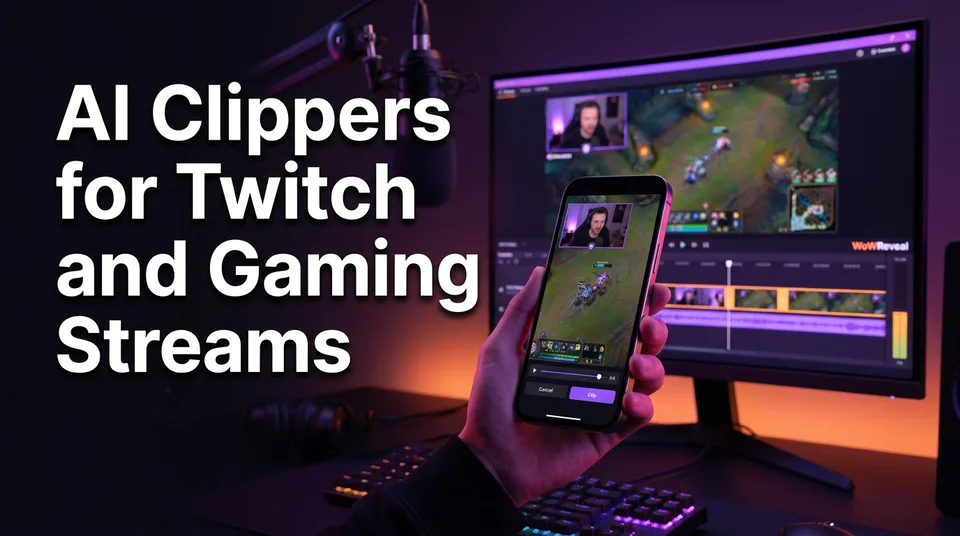
Yes, there are free AI clippers for Twitch, but every free tier is capped by a watermark, a minutes limit or a number of exports. A Twitch AI clipper finds likely highlights from audio, chat and on-screen events, and it still needs a human check before anything goes live. And you should only repost content the streamer has approved.
Is there a free AI clipper for Twitch?
Yes, free options exist in three forms: Twitch's own alpha feature, free tiers of dedicated stream clippers, and free credits on general clippers. None of them is unlimited, and that's by design.
What free tiers usually cap
Expect the same four limits almost everywhere:
- A fixed number of exports or processed minutes per month
- A watermark burned into the video
- Lower export resolution than the 1080×1920 you want for a clean vertical short
- Limits on VOD length, so a 6-hour stream may not process in one go
The watermark matters most if you run a clip page. A logo from another tool in the corner tells viewers, and sometimes reviewers, that you did the minimum. Test a free tier on one real VOD before you commit. Plans and caps change often, so check the current numbers on the tool's own page.
Twitch's own Auto Clips (alpha)
Twitch Auto Clips is an alpha feature, so availability varies by channel. According to Twitch's help page on Auto Clips, it runs speech-to-text on your stream and uses AI to help identify clippable moments. It lives inside Twitch, which is convenient for broadcasters. But it's built for the streamer's own channel. If you run a clip page for other people's streams, it's not your tool.
Three types of Twitch AI clipper
Tools people lump together as a "Twitch clip maker AI" fall into three types, and each one detects highlights differently and fails differently.
| Type | Example | Main signal | Typical failure |
|---|---|---|---|
| Native | Twitch Auto Clips | Speech-to-text | Misses silent, skill-based plays |
| Stream-specific | Eklipse-style tools | Game events, audio, chat | Loud but boring moments |
| General link-based | WowReveal AI Clipper | Audio, speech, pacing | No game-specific event data |
Stream-specific clippers (Eklipse-style)
Eklipse and similar tools connect to Twitch, Kick and YouTube streams and read game events like kills and wins. That makes them strong on competitive gameplay where the scoreboard tells the story. The trade-off is lock-in: they're built around the streamer's account and a supported game list.
General link-based clippers
These take any VOD link or uploaded file and don't care which game it is. You paste a link, the AI proposes clips, and the tool reframes them to 9:16. The WowReveal AI Clipper works this way. It's less precise on game events than a specialist, but it handles podcasts, IRL streams and variety content that a game-focused tool ignores.
What to compare when looking for an Eklipse alternative
Skip the feature page and test these five things on the same VOD:
- Does the free tier export without a watermark?
- Does auto-crop keep the facecam and the HUD visible?
- Are animated captions included, and can you edit the text?
- Can it take a link, or only a connected account?
- How many of the proposed clips would you actually post?
That last number is the real benchmark. Tools that propose 10 clips and give you one usable one cost you more than they save.
How AI detects highlights in a stream
AI clippers detect highlights by scoring signals across the VOD and surfacing the peaks. Different tools weight the signals differently, which is why two clippers return different clips from the same stream.
- Audio spikes: volume jumps, shouting, laughter, sudden silence after a loud moment
- Chat activity: bursts of messages or emote spam, usually right after something happens
- On-screen events: kills, round wins, scoreboard changes, victory screens
- Speech-to-text: keywords and phrases in what the streamer says
A clip that scores high on three signals at once is usually a good one. A clip that scores on one only is where the trouble starts.
Where AI clipping fails on gaming streams
AI clipping works for finding candidates and fails at judging them. So does it actually work? Yes, as a first pass that cuts hours of scrubbing down to a shortlist. No, as an autopilot.
We've seen the same failures again and again:
- Missed context. The joke's setup or the play's build-up falls outside the clip, so the payoff makes no sense.
- False highlights. The streamer yells at a loading screen. Loud, boring, flagged.
- Missed quiet plays. A clean 1v4 clutch with no reaction scores low because nobody screamed.
- Bad auto-crop. The 9:16 frame cuts out the facecam or the part of the HUD that explains the play.
- Dead-air hype. Chat explodes over a donation or a raid while nothing happens on screen.
Human review isn't optional. Plan for it.
Is clipping streamers allowed?
Clipping a streamer's content is not automatically illegal, but it isn't automatically allowed either. AI clipping changes how fast you cut, not who owns the footage. This is general information, not legal advice.
The safe practice is simple. Get the streamer's permission before you repost, in writing if you can, a DM is enough to start. Follow Twitch's rules on clips and the rules of the platform where you post. Credit the streamer in the caption.
Facebook adds a second layer. If you want your page to qualify for Facebook content monetization, Meta expects original or meaningfully transformed content, and a raw reposted clip is the kind of thing that costs pages reach. Rules change, so check Meta's current guidelines. A clip with your own commentary, captions and a new structure is on safer ground than a crop with a logo on it. The same permission logic applies to YouTube Shorts, TikTok and Instagram Reels.
From stream highlight to vertical short: the workflow
The workflow that turns a Twitch VOD into a vertical short has seven steps, and only the first one is the AI's job.
- Pick the VOD or paste the link (and confirm you have permission).
- Let the AI propose clips.
- Review and trim each one, starting 3 to 5 seconds before the action.
- Reframe to 9:16 with the facecam on top and gameplay below.
- Add animated captions, a headline and a cover.
- Export at 1080×1920.
- Post with a clear title and 3 to 5 hashtags.
The same cut works for Twitch VOD to TikTok or Reels, since all four platforms run on 9:16. Keep the first 2 seconds loud and clear, because that's your hook. Retention is decided there.
A 5-minute review checklist
Run each proposed clip through this before you export:
- Does it make sense with no context? Watch it cold.
- Is the payoff in the first 15 seconds, or at least teased?
- Is the facecam fully in frame, and is the HUD readable?
- Are the captions correct, especially names and game terms?
- Is there dead air at the start or end? Trim it.
- Do you have permission, and is the streamer credited?
Reject anything that fails two or more. A page that posts 3 sharp clips beats one that posts 10 average ones.
Frequently asked questions
What is the best AI stream clipper?
It depends on your stream. For competitive games with clear on-screen events, a stream-specific clipper like Eklipse tends to fit. For mixed content or any VOD link, a general clipper is more flexible. Test two on the same VOD and count how many clips you'd actually post.
Does AI clipping actually work?
It works for finding candidates quickly, usually by scoring audio, chat and on-screen signals. It doesn't work as a fully automatic pipeline, because it misses context and flags loud but boring moments. Budget a few minutes of human review per clip.
Is clipping streamers illegal?
Not automatically, but you need the streamer's permission to repost, and you must follow Twitch's rules and the target platform's originality rules. AI doesn't change ownership. This isn't legal advice.
Where to go next
- AI Clipping Tools Explained: How They Work, Where They Fail and How to Choose One — start here for the general background on choosing a tool.
- How Does an AI Clipper Pick Highlights? Highlight Detection Explained — a deeper look at the audio, chat and speech signals.
- Free AI Video Clipper: What You Get, What the Limits Are, and When to Pay — what watermarks and export caps mean in practice.
- From Clip to Finished 9:16 Short: A Step-by-Step Process — the finishing steps once you've picked your clips.
- Can You Post AI or Repurposed Video on Facebook Without Breaking Originality Rules? — the monetization risk when you repost clips on Facebook.
Generate your reel right now
Paste a link to a long video — AI finds the best moments and turns them into ready Shorts with captions.

No link? Upload a file
- 30 free credits
- No card needed
- Voiceover in 9 languages
- Failed jobs refunded