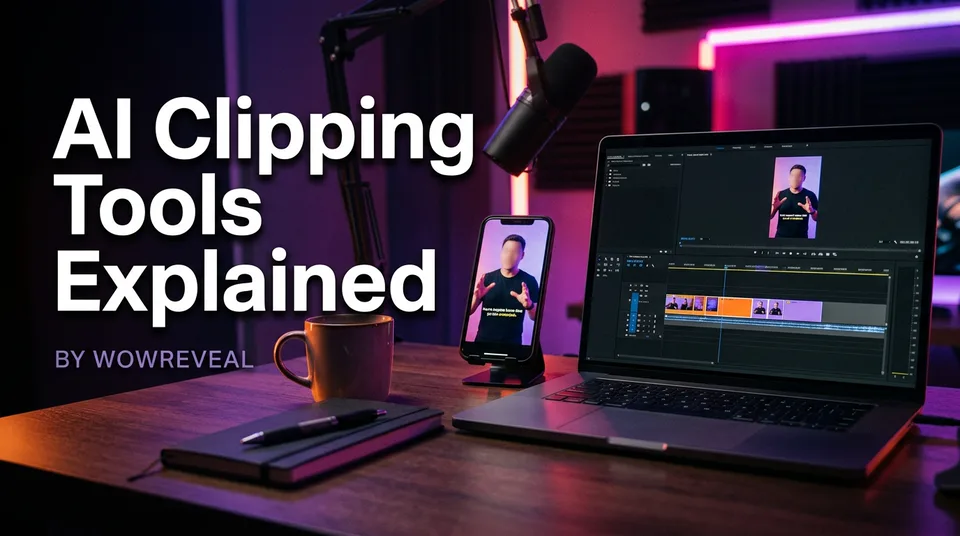
AI Clipping Tools Explained: How They Work, Where They Fail and How to Choose One
AI clippers find the best moments in long videos, but they fail in predictable ways. Here's how they work, where they break and how to pick one for your source.
In this article
AI clipping tools find the strongest moments in a long video by analysing speech, pacing and topic changes, then cut and reframe them into vertical shorts. The best tool depends on your source type, how fast you need results, how good the captions and reframing are, and the review step you still do yourself. No single tool wins on every source.
That's why this guide is tool-neutral. We'll map each detection method to the footage where it breaks, then turn that into a checklist you can run on your own videos.
Key takeaways
- Most AI clippers combine three signals: transcript analysis, pacing and audio energy, and topic-shift detection.
- Each signal fails on specific footage: rambling talk, music-heavy sources, silent action and slow topic changes.
- Accuracy is something you measure on your own footage in a test, not something you read on a vendor page.
- Choose by source type, speed, caption quality, 9:16 face tracking and free-tier limits, not by brand name.
- Review every clip by hand, and keep only the strongest few per source.
- Only clip video you own or have permission to use, because reused content rules apply on every platform.
What AI clipping tools do (and what they don't)
An AI clipping tool takes one long video, proposes short candidate moments, cuts them and reformats them as 9:16 vertical clips, usually with captions. Yes, you can use AI for clipping, as long as the footage is yours or you have permission to use it. The AI proposes. You decide.
From long video to vertical short: the basic pipeline
The pipeline is nearly the same in every AI clip generator. The tool transcribes the audio, scores segments for how likely they are to hold attention, trims them to a usable length, and crops the horizontal frame to 9:16.
Then it adds animated captions and exports. Some tools stop there. Others add a headline, music and a cover so the clip is finished, not just cut. We'll come back to that difference in the checklist.
What stays manual
The tool doesn't know your audience, your page's niche or whether a moment needs the 20 seconds before it to make sense. It also can't check who owns the footage.
Hook polish, ending trim, caption corrections and the rights check all stay with you. Pages that skip those steps end up posting clips that look automated, and viewers feel that within a second or two.
How AI clippers work: three detection methods
Most AI clippers combine three methods: speech and transcript analysis, pacing and audio-energy signals, and topic-shift detection. Vendors blend them differently and rarely say how. Knowing the three helps you predict where a tool will succeed before you pay for it.
Speech and transcript analysis
The tool converts speech to a transcript, then looks for segments that read like a complete thought: a claim and its payoff, a question and its answer, a story beat with a punchline. Language models often score these segments for how hook-like the opening line is.
This works well on interviews, tutorials and commentary. It depends heavily on transcription quality, so accents, crosstalk and low-resource languages hurt it.
Pacing and audio-energy signals
Here the tool ignores the words and listens to the delivery. Laughter, raised volume, rapid back-and-forth, sudden silence and audience reaction all signal a moment where something happened. Visual signals like fast cuts or motion can count too.
This is the method that rescues clips from sources without much talking, such as a crowd reacting at a talent show. It's also the easiest to fool, because loud isn't the same as interesting.
Topic-shift detection
The tool looks for points where the subject changes and uses them as natural cut boundaries. A 60-minute podcast might break into 15 to 20 topic blocks, and the tool picks starts and ends from those edges.
This keeps clips from beginning mid-sentence. It doesn't tell you which topic is worth a short, and it struggles when the conversation drifts instead of switching.
Where each method fails
Every detection method fails on a recognisable type of footage, and accuracy varies by source rather than by brand. No AI clipper is consistently right. Here's the pattern we've seen when testing tools on different sources.
| Method | Works best on | Fails on |
|---|---|---|
| Transcript analysis | Interviews, tutorials, commentary | Heavy accents, crosstalk, music, silent action |
| Pacing and audio energy | Reactions, live events, debates | Loud but dull sections, music beds, quiet storytelling |
| Topic-shift detection | Structured talks, podcasts with clear segments | Gradual drifts, long stories, callbacks to earlier points |
Rambling talk and filler
A speaker who circles a point for 90 seconds gives the transcript method nothing clean to grab. The tool often picks a segment that sounds confident but has no payoff.
Expect clips that start well and trail off. This is the single most common reason a suggested clip dies at 3 seconds of viewing.
Music, noise and silent visual action
Music beds confuse both transcription and energy detection. A soundtrack that swells reads as "exciting", so the tool flags it even when nothing on screen matters.
Silent footage is worse. A haircut transformation, a restoration or an animal rescue has its best moment in the picture, and a transcript-first tool has nothing to read. For those sources, look for visual or motion-based scoring, or accept that you'll choose moments yourself.
Gradual topic changes and missing context
When a topic evolves slowly, topic-shift detection finds no boundary, so it cuts at arbitrary points. The result is a clip that says "as I mentioned" or "that's why it matters" with nothing to point back to.
Context loss is the quiet killer. A clip can be perfectly cut and still make no sense to someone who didn't watch the previous 10 minutes.
Reframing errors with multiple speakers
Turning 16:9 into 9:16 means discarding roughly two thirds of the frame. Face tracking reframing follows the speaker, which works with one person. With a panel, a split screen or fast speaker changes, the crop often lands on an empty shoulder or cuts a face in half.
Watch the first 5 seconds of every reframed clip. That's where these errors show up.
AI clipper for YouTube videos and other sources
An AI clipper for YouTube videos works best when you paste a link to a video you own or have permission to use, but the ideal input is still the original file. Most tools accept both, and the choice changes quality, speed and risk.
Link vs file upload
A pasted link is the fastest route and needs no download. The trade-off is quality: the tool pulls the platform's compressed version, which can soften small text and detail.
An uploaded file keeps your original quality and works for sources that were never online, like a raw recording. On the downside, large files take longer to upload on a mobile connection. For an AI clip generator from YouTube links, test one clip each way and compare sharpness.
Podcasts, streams and talent shows
Podcasts suit transcript and topic-shift methods best, which is why most vendor demos use them. Streams are harder, because they run for hours and have long dead stretches, so check each tool's source length cap before you commit.
Talent shows and other performance footage lean on audio-energy signals: applause, reactions and judges' responses. Results are mixed, so check each suggested moment against the real performance.
Rights check before clipping someone else's video
Clipping a video you don't own or have permission to use puts your page at risk, whatever tool you use. Platforms treat repackaged footage with little original contribution as reused content, and it can limit reach or monetization eligibility.
YouTube's reused content guidance explains how it treats this for the YouTube Partner Program, and its Shorts documentation covers creating Shorts from long videos. Facebook and TikTok have their own rules, and all of them change, so read the current versions before you build a workflow around any of them.
How to choose an AI clipping tool: a selection checklist
The best AI clipping tool is the one that handles your source type, volume and language with the least cleanup afterwards. Anyone claiming a universal winner is skipping that question. Run your own footage through the criteria below.
Source types supported
Check whether the tool takes YouTube links, file uploads, podcast audio and long streams, and what the maximum source length is. A tool that does great with 30-minute interviews may cap out well before a 3-hour stream.
Also check what happens with non-talking sources. If you clip talent shows or restorations, ask whether it scores visual action or only speech.
Speed and batch volume
Test processing time on a 60-minute source, not the 5-minute demo. If you run several pages, check whether you can queue multiple videos and whether failed jobs cost credits. WowReveal refunds failed jobs automatically, which is a detail worth looking for in any tool.
Caption quality and languages
Captions are where cheap tools show their age. Read the transcript of one clip line by line and count errors per minute, especially on names and non-English words.
If your audience isn't English-speaking, confirm the language is supported for both transcription and captions. Check that animated captions are editable, because you will need to fix some.
Reframing to 9:16
Look for face tracking that follows the active speaker and a manual override for when it guesses wrong. Test with a two-person clip and a wide shot.
The output should be true 9:16 vertical, 1080×1920, so it isn't recompressed on upload to Facebook Reels, YouTube Shorts, TikTok or Instagram Reels.
Output you can finish (headline, music, cover)
A cut clip is not a finished post. The difference between tools is how much work remains: headline, background music, a cover frame, title, description and hashtags.
Dedicated clippers such as Opus Clip, Vizard and Choppity, caption-focused tools like Submagic, recording platforms with clipping like Riverside and general editors like Adobe Express all draw this line in different places, and they change their features often. WowReveal's AI Clipper finds the best moments, then adds captions, a headline, music and a cover in one render, so there's less to patch together afterwards.
A quick decision rule:
- Mostly talking sources in one language: prioritise transcript accuracy and caption editing.
- Reaction or performance footage: prioritise audio-energy and visual scoring, and plan on manual picks.
- Many pages, high volume: prioritise batch speed, finishing tools and clear credit rules.
Free and online AI clipping tools: what to expect
Free AI clipping tools exist, and most are online, browser-based apps, but "free" almost always means limited. They're good enough to test a workflow and rarely enough to run a daily posting schedule. Is AI clip free? For a trial, yes. For volume, usually not.
Typical free-tier limits
Common limits include a small number of credits or minutes per month, shorter maximum source length, a watermark on exports, lower export resolution and fewer caption languages. Some restrict the most useful features, like face tracking or editing, to paid plans.
Terms differ and change, so read the current pricing page. And check the watermark: a visible logo on a Reel can hurt both reach and how professional the page looks.
When paying makes sense
Pay when the cost of your time exceeds the cost of the plan, and not before you've proven the tool on your footage. If you're posting daily, a monthly plan usually beats scrambling for free credits. If you post in bursts, a one-time credit pack can be cheaper.
Test on free credits first. WowReveal gives free credits to start without a card, which is how we'd suggest evaluating any tool.
Do AI tools like ChatGPT replace a clipper?
No, ChatGPT can't replace a clipper, because it's a text-based assistant and doesn't cut, reframe and render vertical video from your file. Can ChatGPT do video editing? Not in the sense creators mean. It can write a script, suggest hooks, tidy a transcript or rank moments if you paste the text in.
That's a useful supporting role. Pasting a podcast transcript and asking which five passages work as standalone hooks can save you review time. But someone or something still has to do the cutting, reframing and captioning.
Which AI can generate clips? It depends what you mean. Clipping tools cut clips from footage you already have. AI video generators create new footage from prompts, and that's a different workflow with different originality questions. Don't confuse the two when you shop.
The review step: check every clip before you post
Reviewing every AI-suggested clip takes about 1 to 2 minutes each and is what separates a page that grows from one that looks automated. Watch each clip on a phone, with sound, the way your viewer will.
A 5-point clip review checklist
- Hook: Does the first 2 seconds make someone stay? If not, trim the start.
- Context: Would a stranger understand it without the full video?
- Ending: Does it finish on the payoff, not mid-sentence?
- Captions: Are names, numbers and non-English words spelled correctly?
- Reframing: Is the subject in frame for the whole clip, with no cut-off faces?
Trim hooks and endings by hand
AI usually starts clips too early and ends them too late. Cut the throat-clearing at the start, and cut the lingering seconds after the payoff.
Aim for 30 to 90 seconds as a working range, then shorten where the moment allows. A tight 35-second clip nearly always holds attention better than a 70-second one with the same payoff.
Common mistake: posting every clip the AI suggests
The most common mistake is posting every suggested clip, and it hurts both retention and your page's credibility. A tool will happily hand you 20 to 30 suggestions from a 60-minute podcast. Maybe three to five are worth posting.
Why volume without selection hurts retention
Weak clips pull down your average watch time and retention, and platforms use those signals to decide how widely to distribute your next post. We've watched pages push 10 forgettable clips a day and lose ground against pages posting two good ones.
There's an originality angle too. A page of near-identical, lightly edited cuts from one source looks like reused content, which is exactly what the platforms' policies target.
How many clips to keep from one source
Keep the strongest three to five clips from a 60-minute source, and fewer from shorter ones. Spread them over several days, not one afternoon.
If more than five pass your review, you're probably being too generous. Pick the ones that work as complete, standalone stories.
A simple workflow to test a clipper in one afternoon
You can compare two or three AI clipping tools in one afternoon with one source you own and the same review checklist. Keep the test small and consistent, so differences come from the tools, not the footage.
- Pick one 45 to 60 minute video you have full rights to, ideally the type you post most.
- Run it through each tool on its free tier and note the processing time.
- Take each tool's top five suggestions and score them with the 5-point review.
- Count how many clips you'd post without edits, and how many minutes of fixing the rest needed.
- Check the export: watermark, resolution, 9:16 framing and what finishing tools were included.
- Choose the tool with the lowest total time to a postable clip, not the one with the most suggestions.
Repeat with a second source type, such as a silent or music-heavy video, because that's where tools separate most.
Frequently asked questions
Which is the best AI clipping tool?
There isn't one best tool for every source. Pick by source type (talking, performance or silent action), batch volume, caption language and how much finishing you need, then test two or three on one video you own.
Can I use AI for clipping?
Yes, AI works well for finding and cutting moments from long video, provided you own the footage or have permission to use it. You still review each clip for hook, context, ending, captions and framing before posting.
Is AI clip free?
Many AI clipping tools offer a free tier, but it usually limits credits, source length, export quality or adds a watermark. It's enough to test a tool, and rarely enough for daily posting. Check the current pricing page, since terms change.
Can ChatGPT do video editing?
Not by itself. ChatGPT can help with scripts, hooks and picking passages from a transcript you paste, but it doesn't cut, reframe and render a 9:16 video from your file. You need a clipping or editing tool for that.
How accurate are AI clippers?
Accuracy varies by source. Clear interviews usually give strong suggestions, while rambling talk, music-heavy video and silent action give weaker ones. Judge accuracy by testing on your own footage, not by vendor claims.
Where to go next
- How Does an AI Clipper Pick Highlights? Highlight Detection Explained — Goes deeper on the detection methods behind the suggestions.
- What Is Best-Moment Clipping? Definition, Scoring and Clip Length — Explains how moments are scored and why length matters.
- Best AI Video Clipper: Features to Compare Before You Choose — Turns the selection checklist into a feature-by-feature comparison.
- Free AI Video Clipper: What You Get, What the Limits Are, and When to Pay — Details the free-tier limits you'll hit during testing.
- How Long Should a Clip Be for Shorts and Reels? — Helps you trim AI-suggested clips to a sensible length.
- Reused Content Policies Compared: Facebook, YouTube and TikTok — Covers rights and originality before you clip anyone's video.
- Talent Show Shorts: How to Clip the Best Moments (and Stay Rights-Safe) — A worked example of clipping footage with little talking.
- Repurposing Long Video into Shorts: The Complete Workflow — The full workflow from source video to scheduled shorts.
- How to Find Where Viewers Drop Off in Your Shorts (and What to Fix)
- AI Shorts Maker Pricing: Credits, Plans and Credit Packs Explained
- Is YouTube Clipping Legal? Permission, Fair Use and Safe Practice
- CapCut AI Clipper: Is It Good, and What to Do When It Doesn't Work
Generate your reel right now
Paste a link to a long video — AI finds the best moments and turns them into ready Shorts with captions.


No link? Upload a file
- 30 free credits
- No card needed
- Voiceover in 9 languages
- Failed jobs refunded