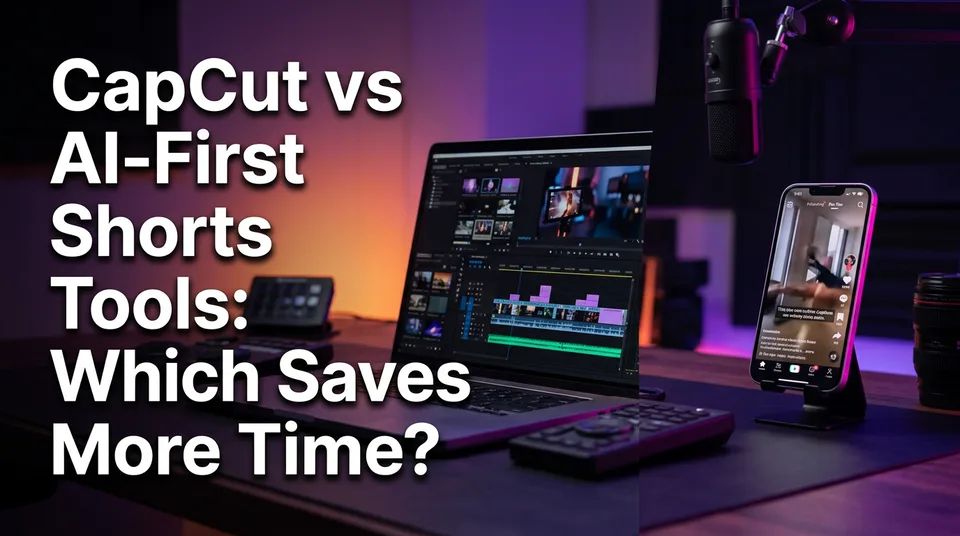
CapCut vs AI-First Shorts Tools: Which Saves More Time?
CapCut gives you control. An AI-first shorts tool gives you speed. Here's a stage-by-stage comparison, with time estimates, to decide which fits your posting volume.
In this article
In the CapCut vs AI shorts tool question, CapCut is a strong manual editor with some AI features and gives you the most control, while an AI-first shorts tool saves more time per short when you post daily from existing videos or stories. Is CapCut good for making Shorts? Yes, for hands-on editing. For many editors the best setup is both: AI for the first draft, CapCut for the shorts that earn a polish.
Key takeaways
- CapCut wins on control: frame-accurate cuts, exact music sync, custom transitions and a look that's truly yours.
- An AI-first tool wins on volume. Paste a link, get a 9:16 draft with story, voice, captions and cover in roughly 7-15 minutes of your attention (our estimate, not a benchmark).
- CapCut has AI features too (auto captions, an AI Shorts maker, an AI video generator). They speed up single steps, not the whole chain.
- At one short a day, CapCut is fine. At 3-5 a day, or several pages, manual editing becomes the bottleneck.
- Neither tool guarantees monetization. Originality and platform rules matter more than the app.
CapCut vs an AI-first shorts tool at a glance
CapCut is a timeline editor with AI helpers, and an AI-first shorts tool is a generator with light editing on top. That one difference explains almost every row below.
| CapCut | AI-first shorts tool (e.g. WowReveal) | |
|---|---|---|
| What it does | Manual editing: import, cut, caption, music, export, plus optional AI helpers | Writes the story, voices it, finds moments, adds captions, headline, music and cover |
| Input | Footage you import and arrange yourself | A pasted link or an uploaded file |
| Output | Whatever you build, any aspect ratio | A rendered 9:16 vertical video |
| Pricing model | Free tier plus paid Pro features (check current plans on CapCut's site) | Credits or monthly plans; WowReveal offers free credits without a card |
| Best for | Craft, one-off pieces, brand-specific looks | Daily volume, repurposing, story shorts, multiple pages |
Pricing changes often. Check each site before you decide, and don't trust a number you saw in a forum thread last year.
Winner: depends on whether you're making one polished piece or a steady stream.
Is CapCut good for making Shorts?
Yes, CapCut is good for making Shorts, Reels and TikToks, especially if you like cutting by hand and want full creative say. Millions of creators use it for exactly this, and the 9:16 canvas, templates and caption tools are built around short-form video.
What CapCut does well for Shorts
The timeline is the point. You can trim to the frame, sync a cut to a beat, stack text and stickers, and build a recognisable look across a page. Auto captions get you most of the way to subtitles in a couple of minutes.
It also handles odd jobs well. Mixed footage, a quick screen recording, a custom intro, a before-and-after reveal with a specific wipe: this is where a manual editor shines and generators struggle.
Where the manual work piles up
The pain isn't any single step. It's the chain. Download the source, scrub for the moment, write a script, record or generate a voiceover, caption, design a cover, export, write the post copy.
Each step is quick on its own. Stacked, they add up to 30-70 minutes per short for most intermediate editors, by our rough estimate. Do that five times a day and editing becomes your whole job.
Winner: CapCut, if craft matters more than throughput.
What CapCut's AI features actually cover
CapCut's AI features are execution helpers inside an editor: auto captions, an AI Shorts maker that cuts long videos into clips, and an AI video generator for generating footage from prompts. So yes, CapCut is considered an AI tool in part, and it's fair to call it a hybrid. Features, limits and regional availability change, so check CapCut's official site for what's live in your account.
The CapCut AI Shorts maker analyses a long video and proposes clips. That's useful for talking-head content and podcasts. People also ask about a CapCut AI video generator free option: a free tier exists for some tools, but credits, watermarks and export limits vary by plan and region, so test with a real project before committing.
Is CapCut good for AI videos? For generating a clip or two and then editing it, yes. For producing a finished short with story, voice and cover from a link, it isn't designed to run that whole chain.
AI features inside an editor vs generation-first tools
Inside an editor, AI speeds up a step you're still driving. You still pick the footage, write the script, build the cover and assemble the pieces.
A generation-first tool flips the order. The AI makes the whole draft, and you edit the result. That's why the time saving comes from removing steps, not from making each step slightly faster.
Winner: depends on who you want holding the wheel. Editor-first for control, generation-first for speed.
Minutes per short: stage-by-stage time comparison
An AI-first tool saves the most time at the stages that are pure labor: finding the moment, scripting and voiceover. All figures below are rough estimates for an intermediate editor and shift with your skill, source length and how picky you are.
| Stage | CapCut, manual (est.) | AI-first tool (est.) |
|---|---|---|
| Sourcing and import | 3-5 min | about 1 min |
| Finding the moment | 10-20 min | 2-4 min |
| Script and voiceover | 10-25 min | 1-3 min |
| Captions, headline, cover | 5-12 min | 1-3 min |
| Export and post prep | 3-6 min | 2-4 min |
| Total | 30-70 min | 7-15 min |
At five shorts a day, that's roughly 2.5 to 6 hours in CapCut versus 35 to 75 minutes with an AI-first tool. The gap is small at one short and huge at five.
Finding the moment
Scrubbing a 20-minute video for the 30 seconds that hold attention is the slowest manual job. An AI clipper, such as WowReveal's AI Clipper, proposes candidate moments so you review instead of hunt. You'll still reject some picks. Reviewing is just faster than searching.
Script and voiceover
In CapCut you write the script, then record yourself or use text-to-speech. In an AI-first tool the story is written for you and voiced with AI voiceover; WowReveal covers 9 languages. That matters if your audience doesn't speak your language.
Read the script before you post. AI drafts can be flat, and a hook that doesn't land will cost you retention no matter how clean the edit.
Captions, headline, cover
CapCut's auto captions are good, and you can style them any way you like. The cost is the styling time: fonts, highlights, positions, every time. An AI-first tool applies animated captions, a headline and a cover automatically, and a saved brand kit keeps the look consistent from short to short.
Export and post prep
Export is quick in both. The hidden time is the post copy: title, description, hashtags. Some AI-first tools bundle that into a post kit. In CapCut it's a separate job in another app.
Winner: the AI-first tool, clearly, on time. CapCut only closes the gap on captions.
What manual control gives an editor
Manual editing gives you frame-level cuts, custom transitions, exact music sync and a look no template can copy. If your page's identity is the edit itself, that control is worth the minutes.
Think of a beat-matched transformation reveal, a comedy cut where 6 frames decide the joke, or a branded intro that appears on every short. A generator will give you something decent and consistent, but it won't hit the timing you'd hit by hand.
There's a trade-off to name plainly: AI-first tools trade some of that precision for consistency and speed. For daily story shorts that's usually a good deal. For a showcase piece, it isn't.
Winner: CapCut, whenever the edit is the product.
Where an AI-first tool wins on speed
An AI-first tool wins when volume is the constraint: repurposing long videos, story-style shorts, and running several pages without hiring an editor. It's the better answer to "best editor for daily Reels" if daily means three or more.
Daily posting volume
Batching is the real advantage. Queue five links in the morning, review drafts over coffee, discard the weak ones, fix small things in the rest. Your attention goes to judgement, not mechanics.
We've watched pages burn out on daily manual editing within weeks, and the first thing to slip is the hook, not the schedule. Speed protects quality here because you have energy left to check the first 3 seconds.
Multilingual voiceover and story formats
Story shorts, with a narrated retelling over clips, are slow to build by hand and quick to generate. Add multilingual voiceover and the same source can serve audiences on Facebook Reels, YouTube Shorts, TikTok and Instagram Reels without you recording in every language.
Be careful with source material. Only use footage you own or have permission to use, and add real narration, commentary or structure so the short is transformed, not just reposted.
Winner: the AI-first tool for volume, repurposing and multi-page work.
Why some editors look for a CapCut alternative for Shorts
Editors look for a CapCut alternative for Shorts mainly because of free-versus-paid limits, workflow time at volume and, for some, regional availability. We won't claim everyone is leaving CapCut. Plenty of people use it happily every day.
The recurring reasons, as editors describe them: some effects, templates and export options sit behind Pro, watermarks can appear on certain templates, and the manual chain gets tiring at volume. Reddit threads on this are mixed and anecdotal, so treat them as hints about what to test, not verdicts.
On the "is CapCut banned in the USA" question: CapCut briefly went offline for US users in January 2025 around the TikTok legislation and then returned. Availability can change with law and app-store decisions, so check your own region and app store today instead of relying on old news.
If you want a free comparison, test both on the same source video with the same time budget. That tells you more than any review.
Winner: depends on what's bothering you. Limits point to checking plans, time points to an AI-first tool.
Which one to choose by posting volume
Choose by shorts per day and content type: CapCut for craft and one-offs, an AI-first tool for daily volume and story shorts.
1 short a day
CapCut is fine. 30-70 minutes a day is workable if editing is part of why you create. Add the AI Shorts maker or auto captions to trim the dull parts.
3-5 shorts a day or several pages
Go AI-first for the base layer. Manual editing at this volume eats the day, and the savings of 2-5 hours daily (our estimate) are what keep a page sustainable. This is where Facebook content monetization pages and small agencies usually feel the pressure.
Polished one-off shorts
Stay in CapCut. A launch short, a sponsor deliverable or a signature series earns its manual hours.
Winner: by volume. One a day, CapCut. Three or more, AI-first.
How to combine both: an AI draft, then a CapCut polish
The hybrid is the most efficient setup: generate every draft with AI, then finish only the shorts that prove themselves in CapCut. Here's the handoff we'd use:
- Paste the source link or upload the file in the AI-first tool and render the 9:16 draft.
- Review the hook, story and captions. Delete weak drafts without guilt.
- Post the decent ones as they are, using the generated title, description and hashtags.
- Watch the numbers for 24-48 hours. Look at watch time and retention, not just views.
- Take the top performers, export or re-create them, and polish in CapCut: tighten cuts, fix music sync, tune the brand look.
- Re-post the polished version only if it's a genuine improvement, not a duplicate of something already live.
Spend manual time where it has already shown a return. Everything else stays cheap.
Winner: the hybrid, for most daily posters.
What to check before paying for either
Before paying, check the free plan's limits, the cost model, the refund policy on failed jobs and your platform's originality rules. Spend 20 minutes on this and save yourself a month of regret.
- Free plan limits: watermarks, export resolution, clip length, daily caps.
- Credits vs subscription: credits suit uneven posting; a monthly plan suits a steady daily rhythm. Calculate cost per short before you commit.
- Failed jobs: does the tool refund credits when a render fails? WowReveal refunds failed jobs automatically; ask the same of any alternative.
- Platform rules: neither tool guarantees monetization. Eligibility is decided by Meta, YouTube and TikTok, and rules change. For YouTube, start with the YouTube Partner Program overview.
Originality and transformation matter far more than the tool you pick. Reposting other people's videos without permission can cost you reach and monetization on any app, and no editing trick should be used to dodge Content ID or originality checks.
Winner: depends on your volume and how you like to pay. Start with free credits or the free tier and measure.
Frequently asked questions
Is CapCut good for making Shorts?
Yes. CapCut is excellent for hands-on editing of Shorts, Reels and TikToks, with frame-accurate cuts, captions and templates. It gets slow when you need several shorts a day, because each stage is manual.
Is CapCut considered an AI tool?
Partly. CapCut is a video editor with AI features such as auto captions, an AI Shorts maker and an AI video generator. An AI-first shorts tool goes further by writing the script, voicing it and assembling the whole video from a link.
Is CapCut still banned in the USA?
CapCut briefly went offline for US users in January 2025 and then returned. Availability can change with laws and app-store decisions, so check your own app store and region before you rely on it.
Is there a free option for an AI shorts tool or a CapCut AI video generator?
CapCut has a free tier with paid Pro features, and AI-first tools such as WowReveal offer free credits to start without a card. Limits, watermarks and export rules vary, so test both on the same video and check current pricing.
Can I use both CapCut and an AI shorts tool?
Yes, and it's often the best setup. Generate the daily drafts with the AI-first tool, then polish only your top performers in CapCut.
Where to go next
- How to Make Shorts with AI: A Step-by-Step Workflow — see the AI-first workflow end to end before you test it.
- Repurposing Long Video into Shorts: The Complete Workflow — covers the clip-finding stage where AI saves the most time.
- Animated Captions for Shorts and Reels: Styles, Settings and Mistakes to Avoid — captions are the one stage where CapCut keeps pace.
- How to Budget for an AI Shorts Workflow: Cost per Short, Plans and Credits — work out your cost per short before paying.
- Canva vs a Dedicated AI Shorts Maker for Reels: Which One Fits Your Workflow? — the same comparison for editors who use Canva.
- Can You Monetize AI-Made or Faceless Shorts on YouTube? — check monetization safety for AI-made shorts.
- AI Short Video Creation for Reels and Shorts: The Complete Guide — the pillar guide for the wider topic.
- What Is an MCP Server for Video Creation?
- How to Write Loop Endings That Make Shorts Replay
- AI Voice vs Your Own Voice for Shorts: Which Holds Attention?
Generate your reel right now
Paste a link to any video — WowReveal writes the story, voices it and adds captions, a headline and music. Ready for Reels, Shorts and TikTok.



No link? Upload a file
- 30 free credits
- No card needed
- Voiceover in 9 languages
- Failed jobs refunded